
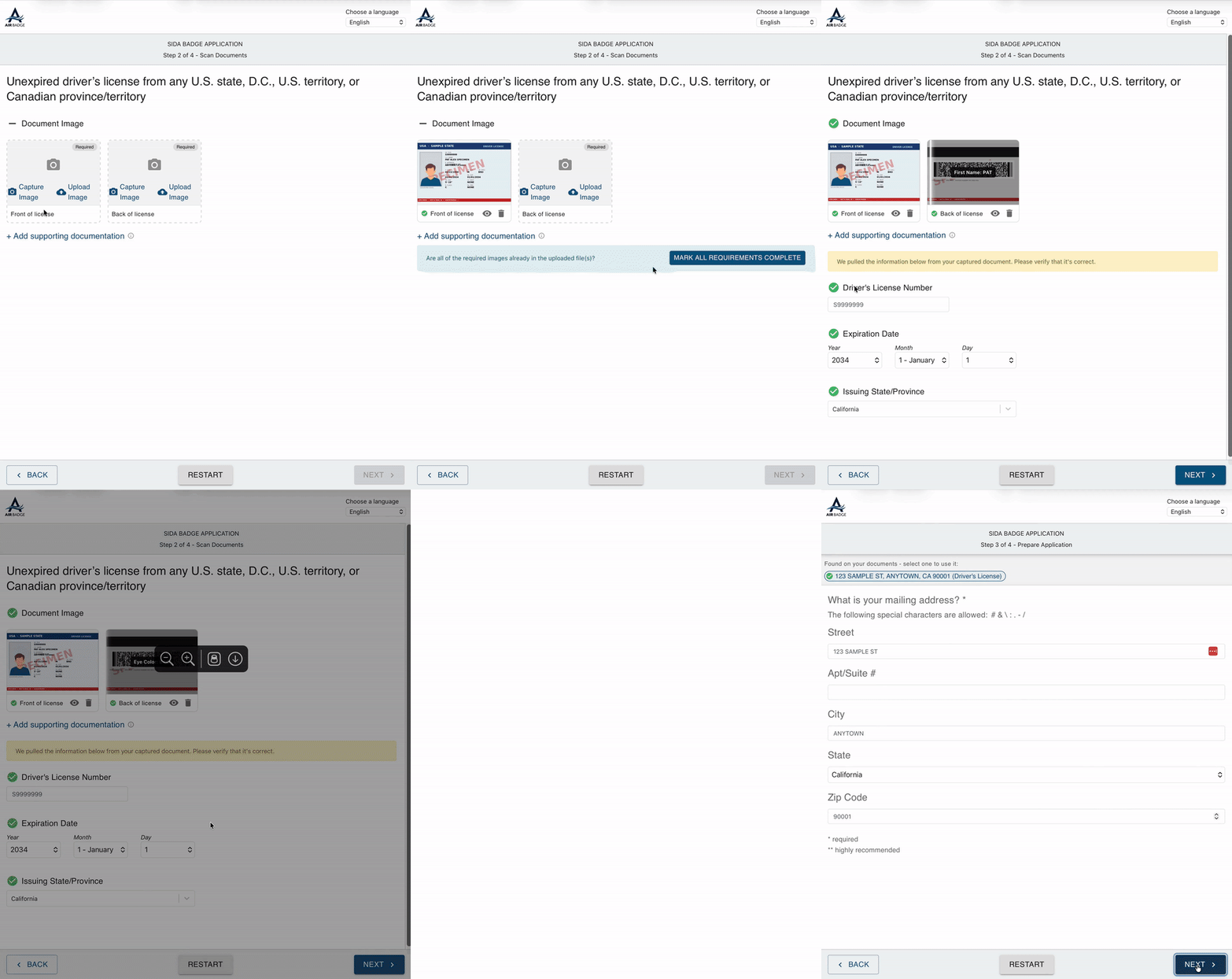
When you upload photos of your driver’s license or passport during the “Scan Documents” step of your badge application, AirBadge reads the text directly from your documents. AirBadge can capture details including your document number, expiration date, and issuing state. Carefully review the information that was captured, confirm it’s correct, and continue.
The information AirBadge reads also carries into the rest of your application. On later steps, details like your full legal name and mailing address appear as options you can select. Each field stays editable: be sure to review and adjust anything that needs corrections.
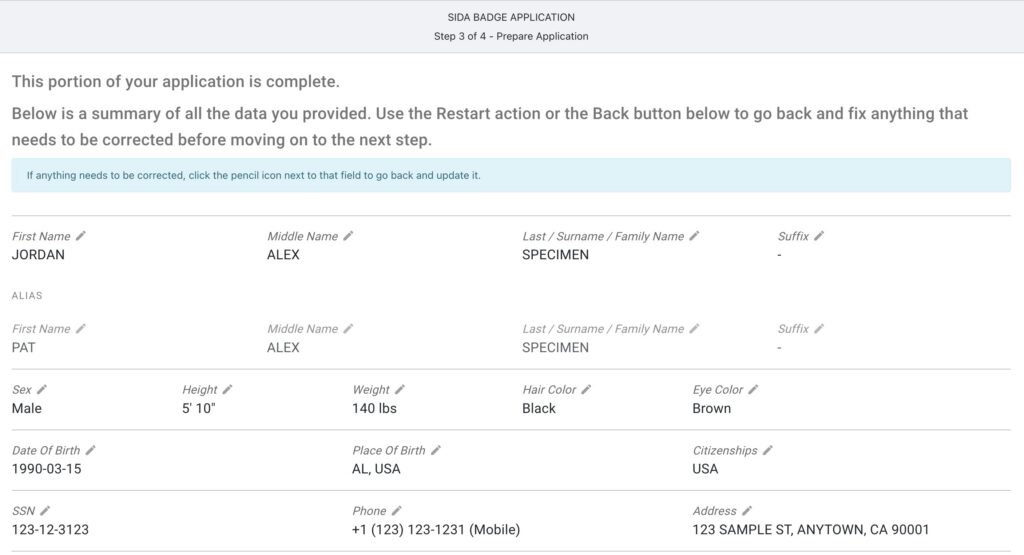
In addition to the enhanced document scanning changes, review and edit the information shown on the review screen. Jump back and make corrections to any information before submitting.
Airport Configuration
If names populated from certain types of document types consistently lead to errors, airport staff can request that AirBadge support deactivate the availability of the name field for certain documents. Name fields can be blocked from populating for selection from the following documents:
- U.S. Passport
- U.S. Passport (Form I-9 List A)
- Foreign Passport
- Foreign Passport (MRIV Notation)
- Foreign Passport (I-551 Stamp)
- State ID Card
- Driver’s License
Contact AirBadge Support to make changes to name field availability.