
Account Lock Policy
AirBadge will lock a user’s account after five consecutive failed login attempts. If this occurs:
- The user will receive a notification on the login screen indicating that their account has been locked.
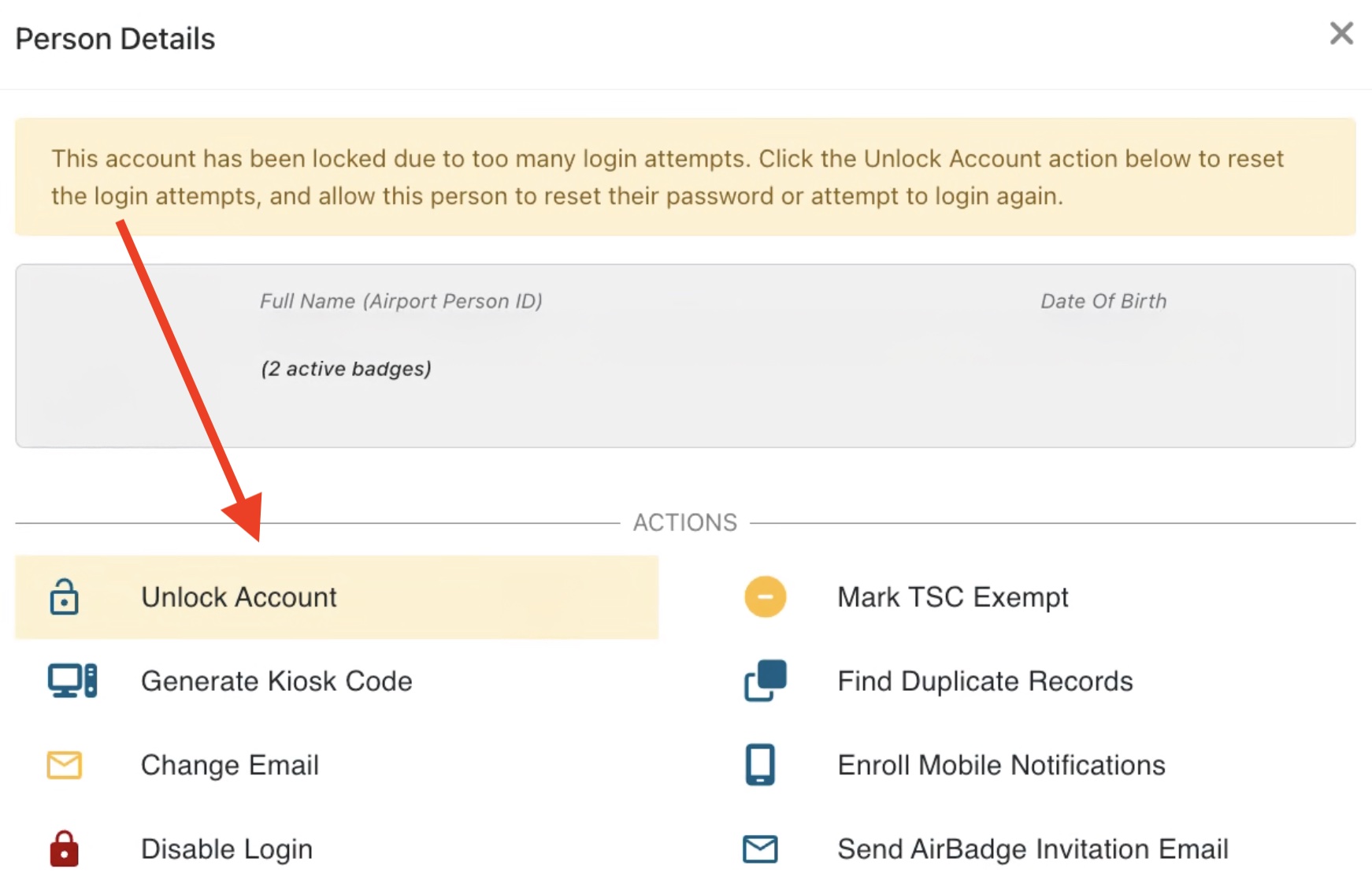
- Only ASCs or TAs can unlock an account. This can be done from the person details screen.
- AirBadge does not automatically send an email when an ASC or TA unlocks a user’s account. Please follow up with the user manually after unlocking their account.
Note: An “Account Lock” message may also appear if a user attempts to log in with an email address or username that is either not registered in AirBadge or not authorized to log in. If you are an AirBadge user who receives an “Account Locked” message, please follow up with your badge office to confirm that the email address on your account is correct and your account is authorized for access.