
Badge Applications
For BadgeholdersBegin your badge application in AirBadge
Here’s a short video about what to expect.
Checking your badge application status
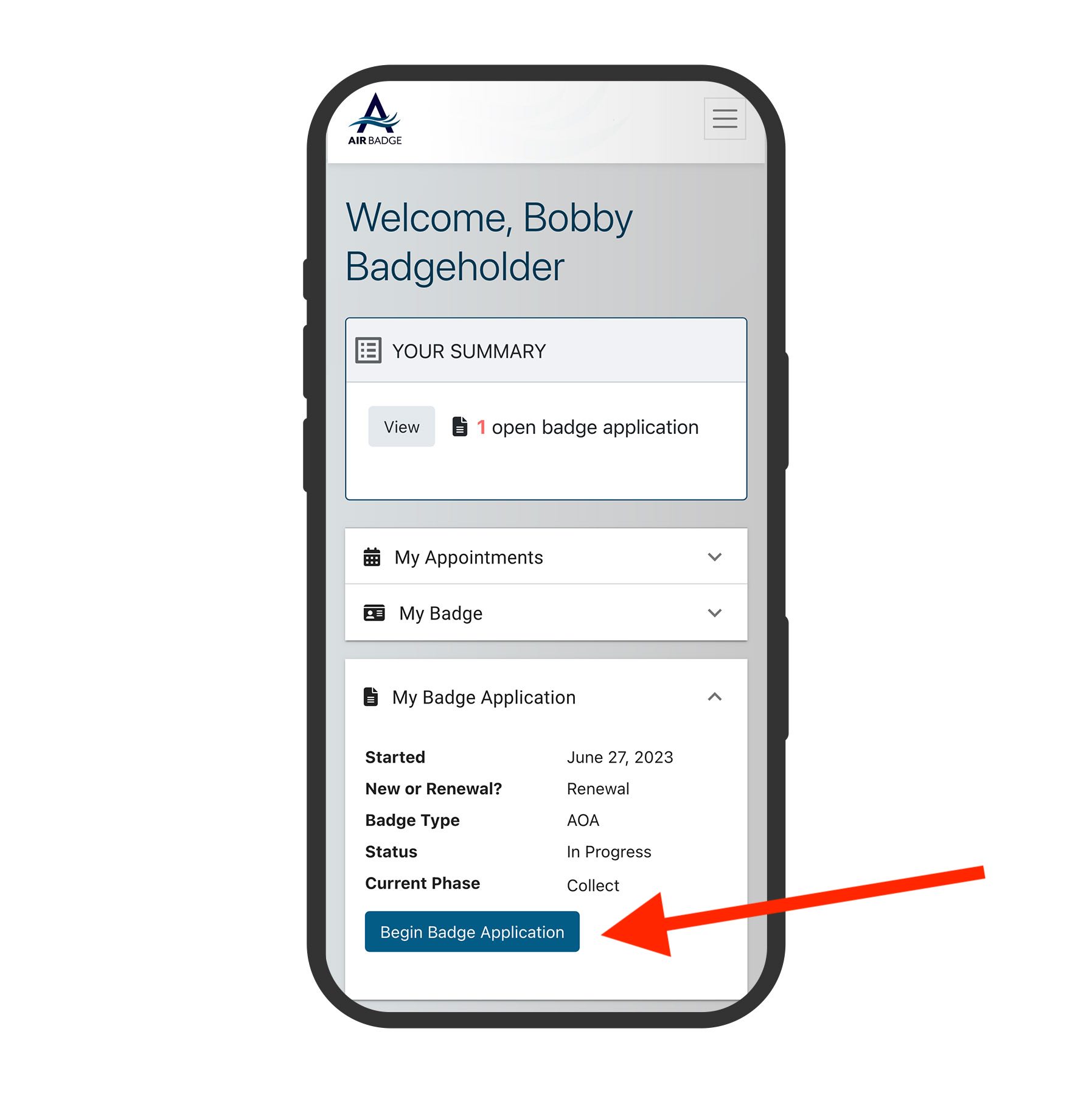
The status of your badge, upcoming appointments, and other actions are listed on your home screen in AirBadge.
To start your badge application, click the button in the Badge Application section.
Responding to steps
Our step-by-step workflow in AirBadge will guide you through the documents you’ll need to collect and submit with your application.
Once you start your application you cannot save your progress, but you can start over if needed.
Your personal information is secure and used only in the badging process.
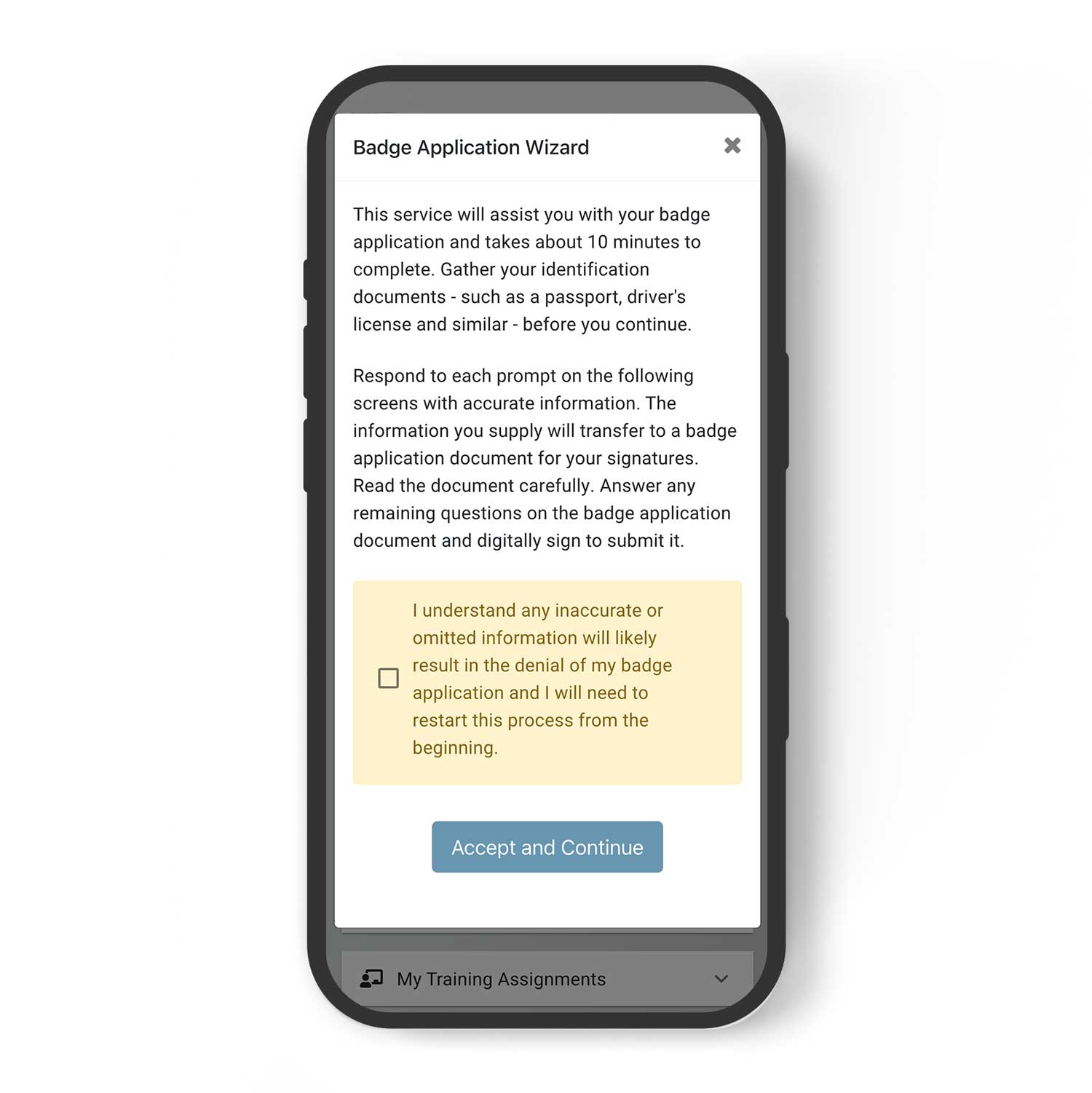
Prefieren el español?
Elija español en el menú desplegable en la parte superior derecha.
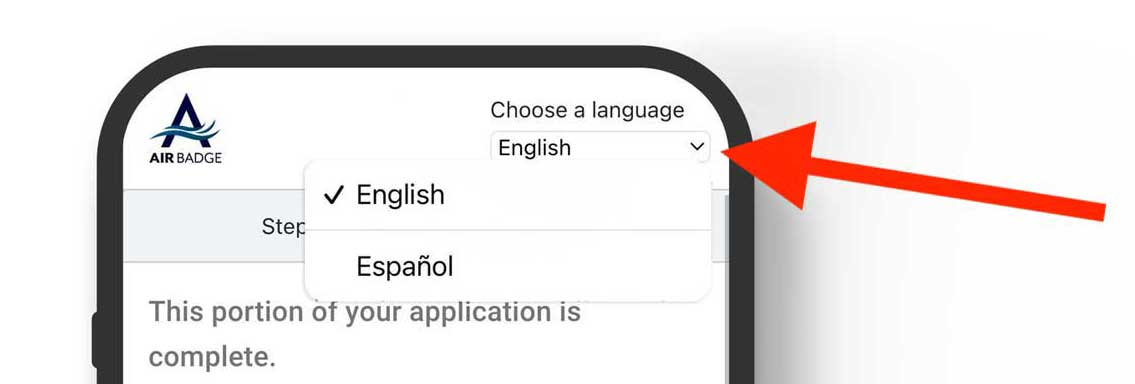
The badge application process takes about 10 minutes. Before you begin, gather your identity documents. Your responses will pre-populate a badge application document for your review and signature.
Before you start: Choose your language
In the top-right corner of the screen, select English or Spanish. This setting applies to the entire application.
Step 1 of 4: Determine documents needed
Answer questions about your citizenship status. Based on your responses, the system will identify exactly which identity documents you need to bring to your badge appointment. You must bring those exact documents.
You will also be asked to authorize the airport to share your submitted information with agencies involved in processing your application.
Step 2 of 4: Scan documents
Provide images and details from the identity documents you selected in Step 1. You can complete this step on your computer or switch to your phone.
Type all information exactly as it appears on your documents. No abbreviations, no changes of any kind.
If your connection drops or you make a mistake
Use the Restart button to clear your entries and begin the document selection process again from Step 1. Your progress will not be saved. This is normal: have your documents ready before you begin so you can move through this step without interruption.
Step 3 of 4: Prepare application
Enter your full legal name and any aliases or additional names that appear on your identity documents. Complete all required biographic fields for vetting.
Review your entries carefully before continuing. Use the Back button to correct anything before moving on.
Providing this information is voluntary, but it is required for the airport to process your application.
Step 4 of 4 — Sign your application PDF
Review your completed badge application document in full. Click “I Agree” to digitally sign and submit. This document is legally binding.
Your application will go to your signatory for review. If any information is incorrect, your signatory will return it and you will need to start the entire process over. Take your time in Step 3.
Important reminders
Bring your documents to every appointment.
AirBadge will prompt you to collect several documents depending on your badge type and other variables. Be sure to bring all your documents with you to every badge appointment.
Your name and personal information must match on all documents.
The name you submit on your application must match the documents you submit exactly. Different spellings, maiden names, and other discrepancies in your documents will delay your badge application.