
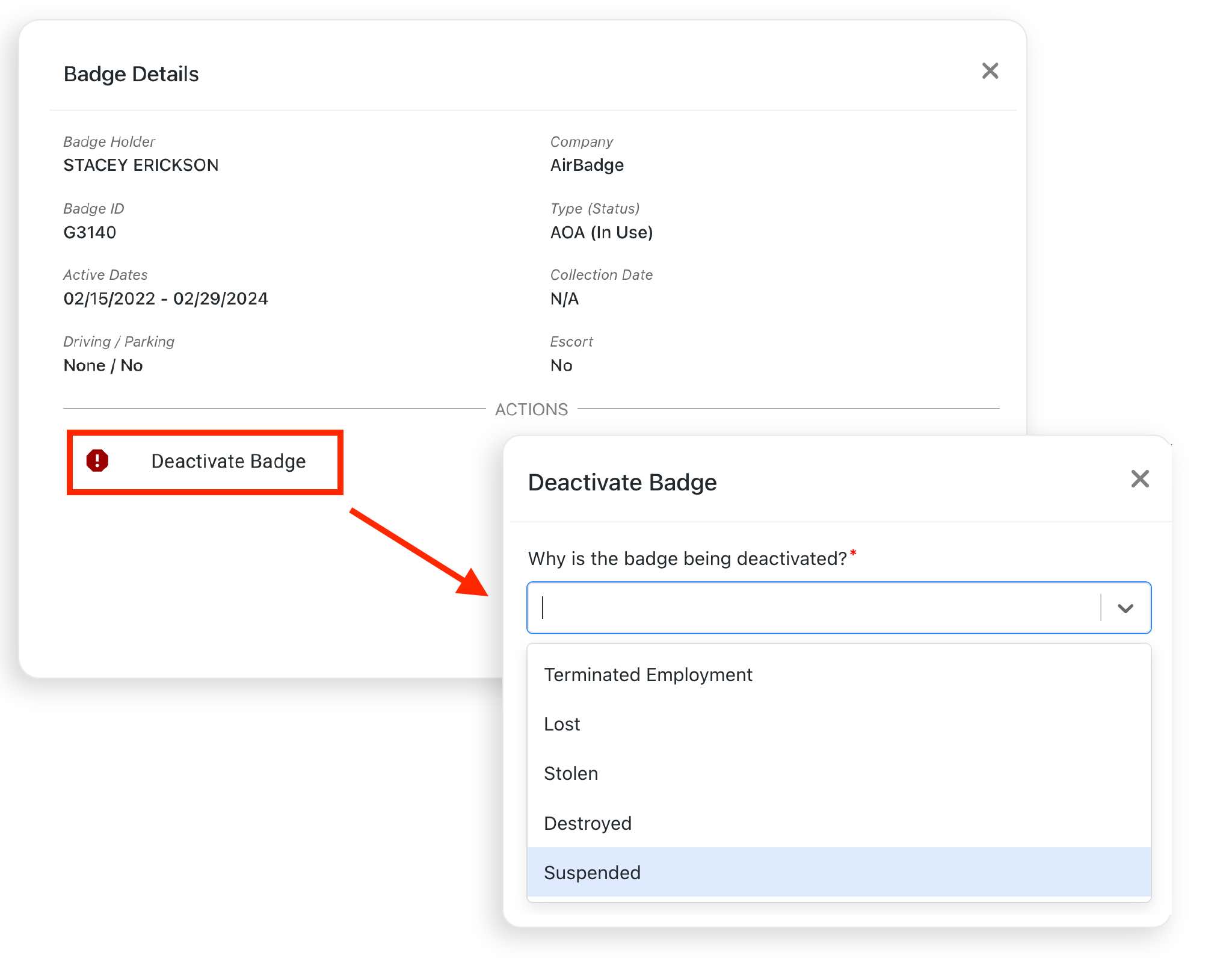
Any signatory can deactivate a badge under their company’s authorization at any time. To deactivate a badge:
- Navigate to the badges screen, which shows all the badges under your company’s authorization.
- Select the View Details button next to the badge you wish to deactivate.
- Select a deactivation reason.
- Add an optional comment and select Deactivate Badge. Your deactivation will be reported to the badge office immediately.
- Collect the badge if possible. Wherever possible, deactivated badges must be returned to the badge office.
When deactivating a badge, Authorized Signatories can choose from the following deactivation reasons:
- Terminated Employment
- Lost
- Stolen
- Destroyed
- Suspended